Make room for what matters
Set aside time for work, study and exercise by placing blocks in Plan.
Amadare
Wish you had found time to study or move today? Set aside blocks for work, exercise and rest. Start a Pomodoro inside a block whenever you want to focus.

Version 1.6.0 / Released Nov 17, 2026
Plan in the morning, take breaks during work and reflect at night.
Set aside time for work, study and exercise by placing blocks in Plan.
Start your work block and see it in Now. The Pomodoro timer keeps track of focus periods and breaks.
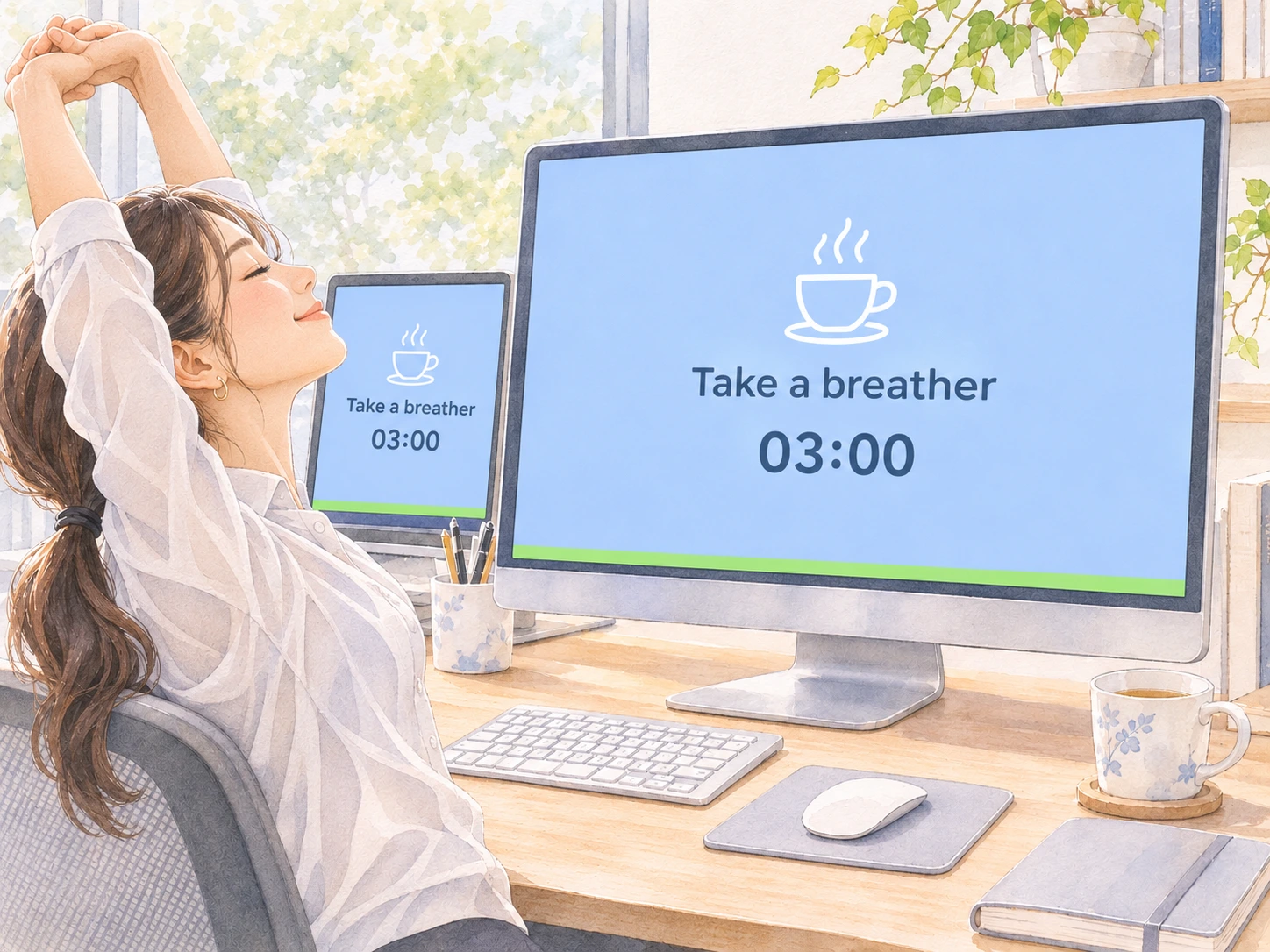
A full-screen cue on Mac marks your Pomodoro break. Take your hands off the keyboard, lean back and stretch.
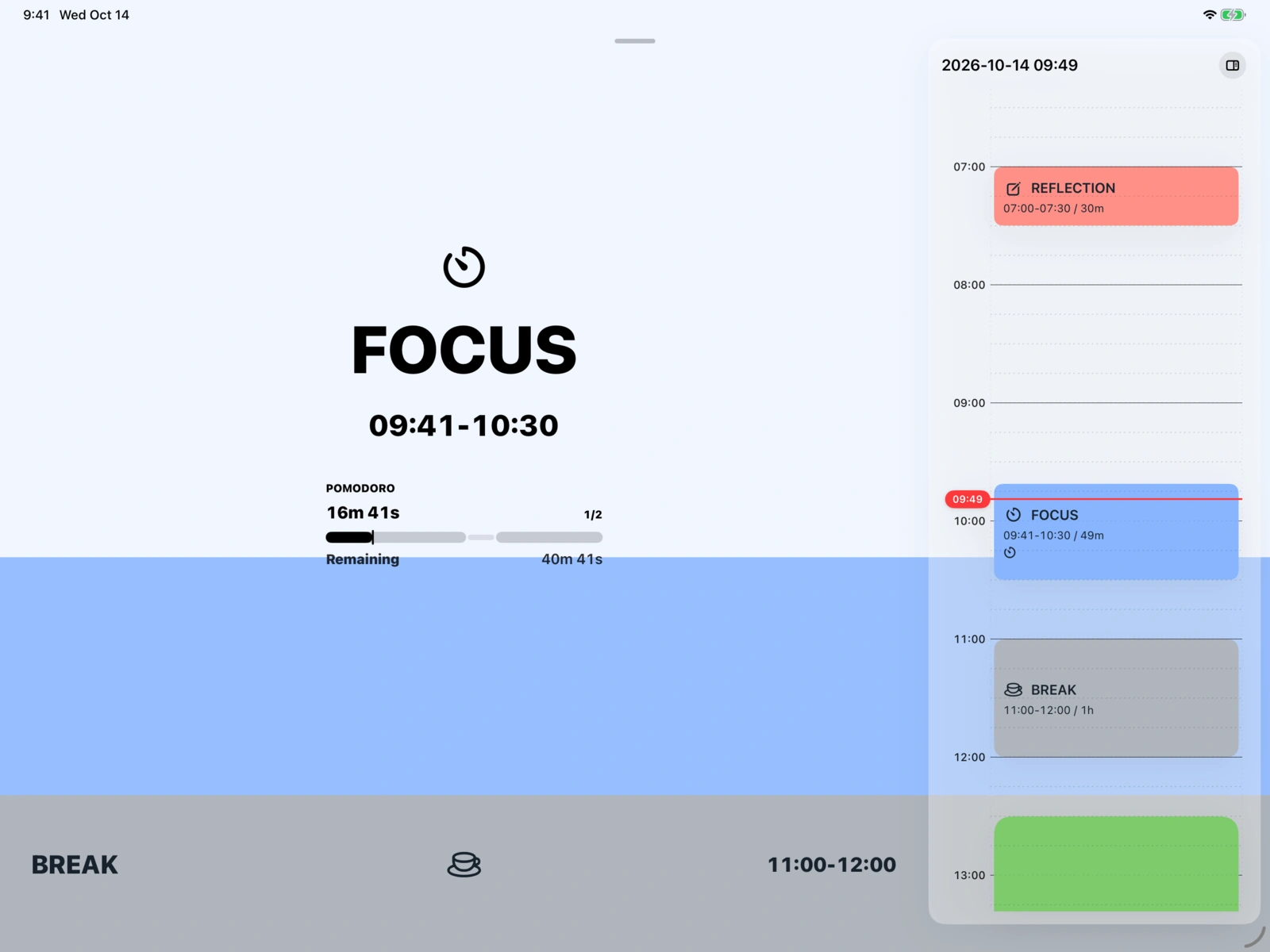
With Slim Mode beside your document on Mac, a glance is enough to check the time left.

Reserve a study block before your day fills up. When it starts, open your book. Home shows your active Study block and the time remaining.
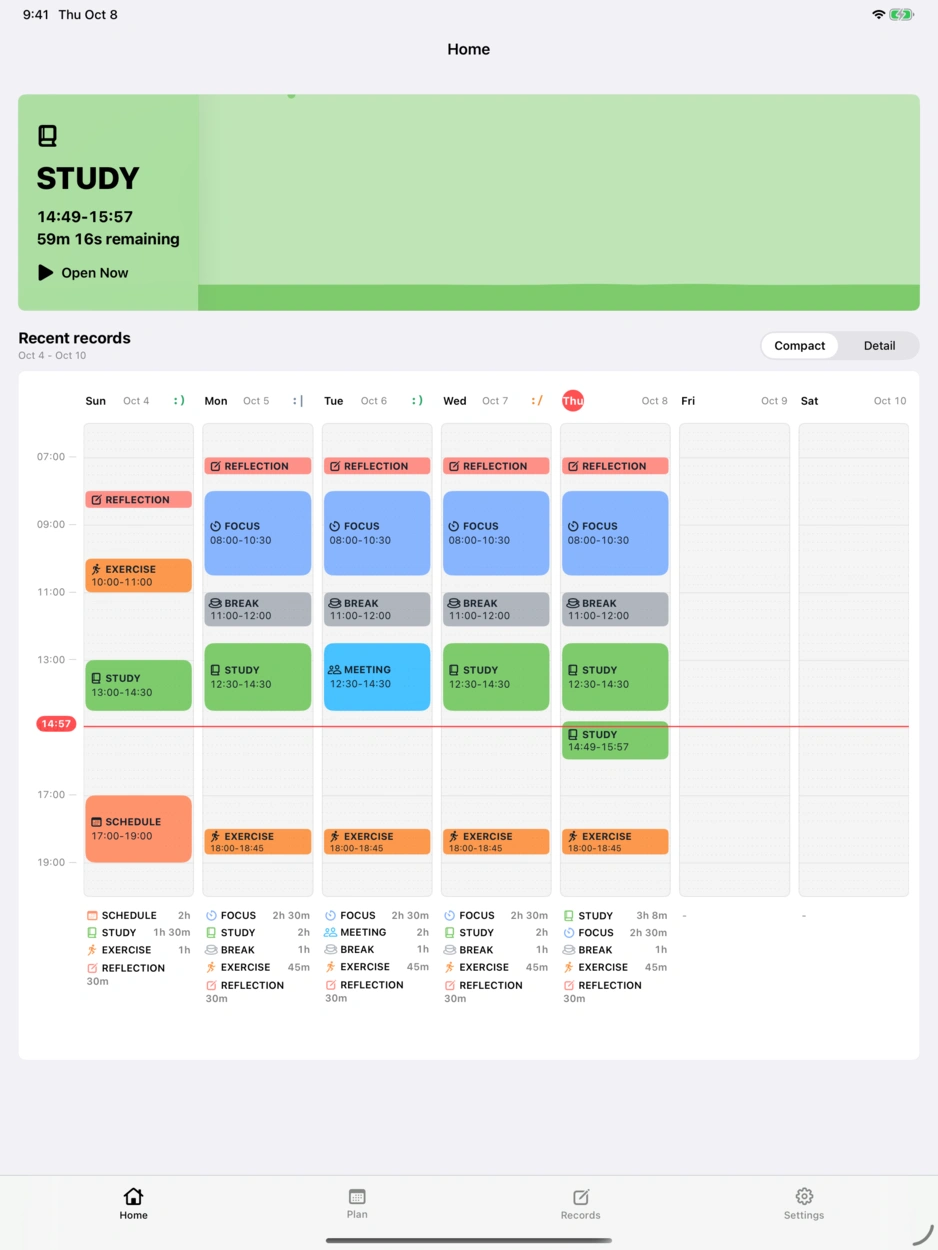
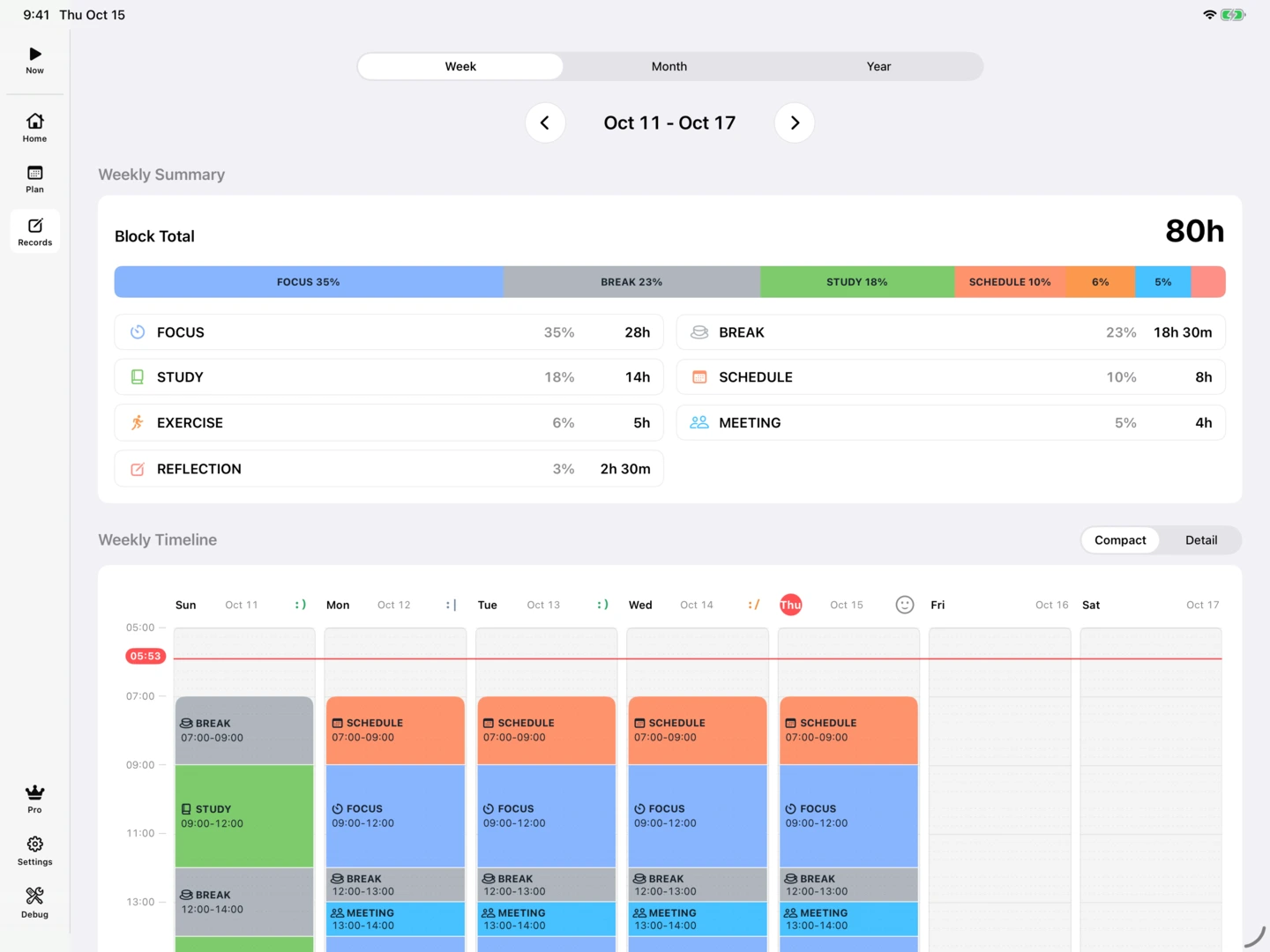
See where your time went in Records and leave a note of how the day felt.
Follow the water level or make a favorite image your backdrop. Select an effect to play its settings preview.
Follow the changing water level as time passes.
Watch raindrops run down the glass.
Use a favorite image as the backdrop for your focus time.
Soft ribbons of light flow across the screen.
Watch the cradle swing from side to side.
Balls pile up as your block progresses.
A wall rises as time passes.
Watch patterns take shape in the sand.
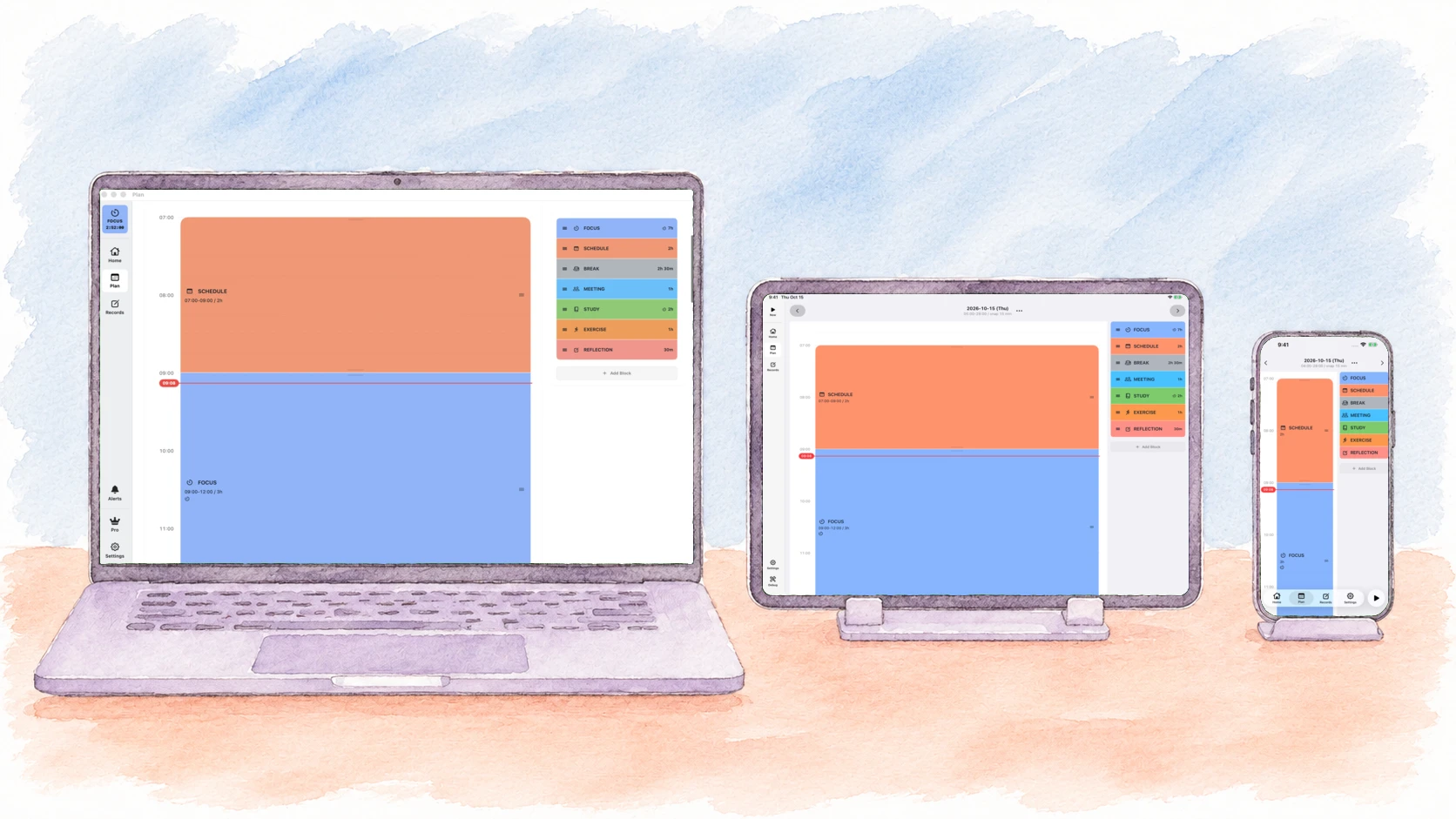
With iCloud and the same Apple Account, you can plan on iPad, open your schedule on Mac and review your records on iPhone. Sync is free.

While you read on a park bench, Apple Watch lets you know when it is time. Keep your place in the book and check the current block and time left on your wrist.
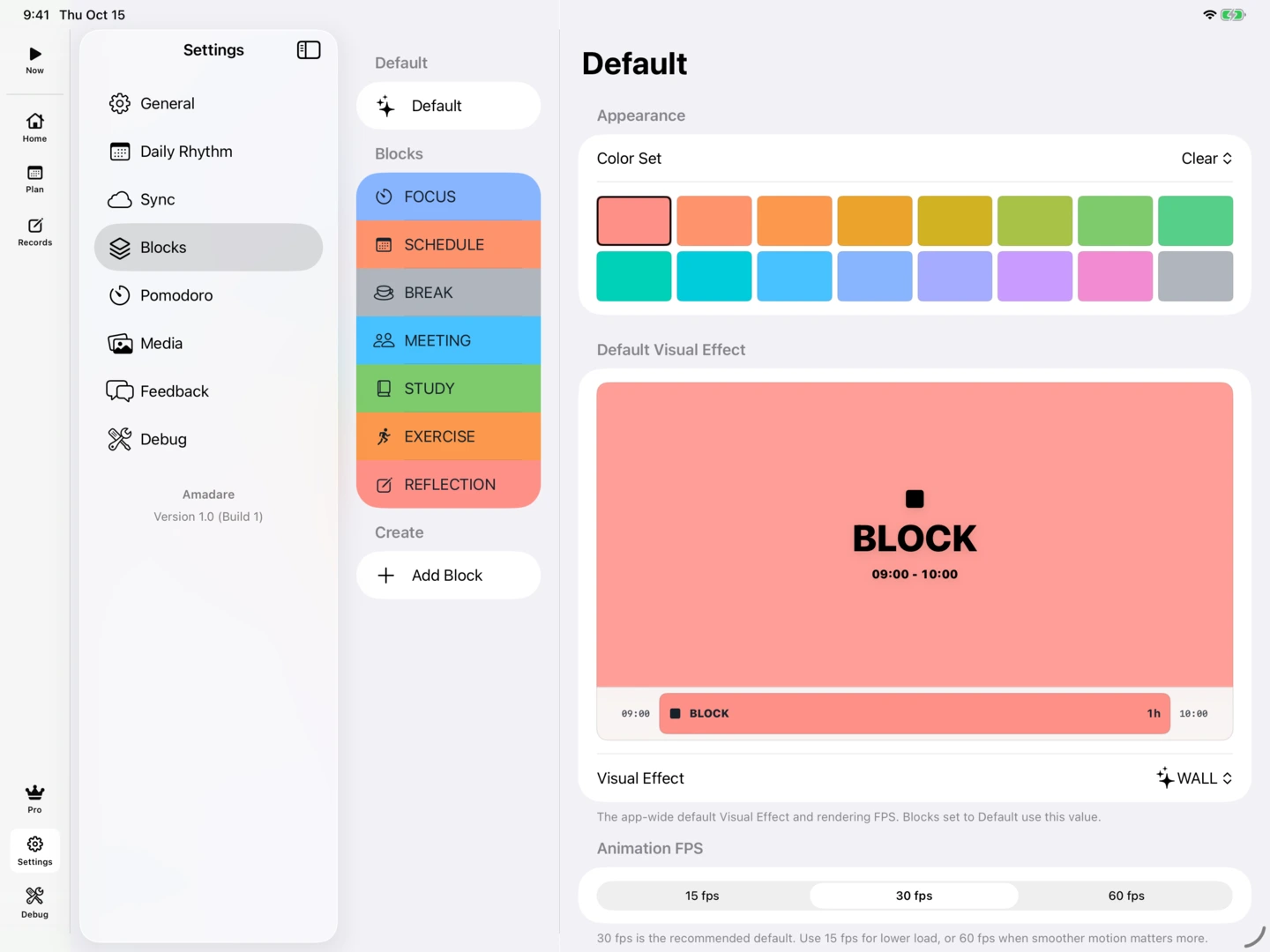
Choose colors and icons for your own blocks, then copy a plan to another day to reuse your routine.
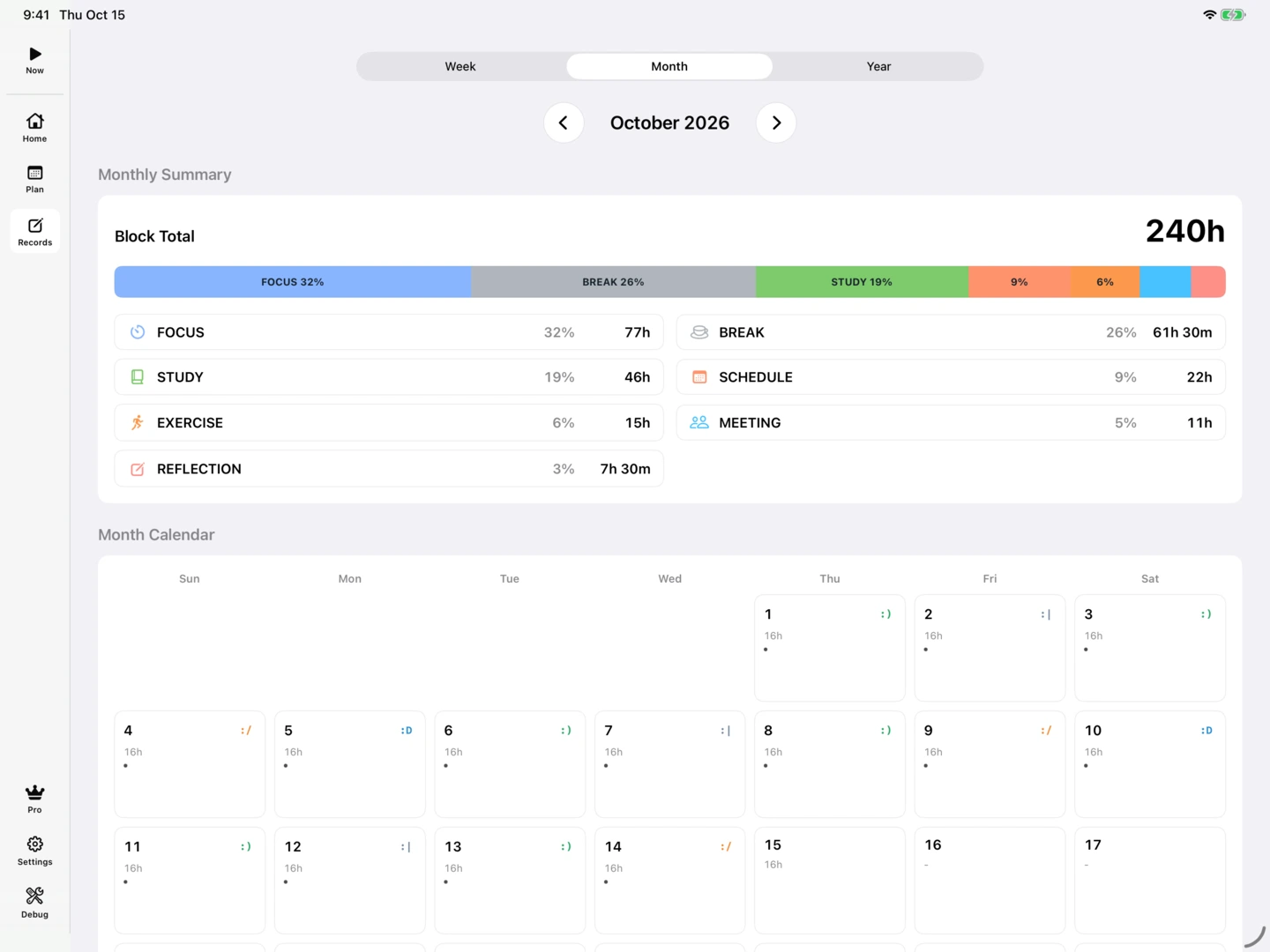
Review records by week, month or year to see how the time you spend on work and study changes.
| Feature | Free | Pro |
|---|---|---|
| Planning and regular timer | Included | Included |
| Pomodoro | Included | Included |
| All visual effects | Included | Included |
| iCloud sync for plans and records | Included | Included |
| Record history | Last 7 days | All time (week, month and year views) |
| Create and edit custom blocks | Not included | Included |
| Copy a plan to another day | Not included | Included |
| Apple Watch | Not included | Included |
Apple Watch requires a paired iPhone.
Yes. Use a regular timer for a Block, or turn on Pomodoro to alternate between focus and breaks. Both are free, and timers work without notification permission.
No. A Block can simply be a stretch of work, study, a meeting, or a break. Set aside the time without entering every small task.
Free shows the current calendar week. Pro provides all-period records with week, month, and year views. Older records are retained.
Yes. Turn off Alerts at the bottom of the Mac sidebar to pause automatic full-screen cues and sounds. You can also turn off Full-screen Alerts for individual Blocks. Closing a cue does not stop the running timer.
Planning, timers, all visual effects, and automatic iCloud sync are free. Pro adds plan copying, custom Block creation and editing, all-period records, and Apple Watch integration.
With Pro and a paired iPhone, see your current activity, focus or break interval, and remaining time on Apple Watch. A color fill progresses from the top. Start cues, advance alerts, and Watch-priority notification settings are available.
No separate Amadare account is needed. Automatic iCloud sync uses your iCloud account. Usage Analytics and Crash Diagnostics are off by default and can be chosen separately.
2026-11-17 · v1.6.0 · macOS
Introducing Slim Mode for Mac. A floating window, 50–160 pt wide, shows the current activity, focus or break interval, remaining time, and the next activity’s color and icon above other apps. Includes width-adaptive titles, double-click height fitting, and water motion suited to a narrow window. All visual effects and iCloud sync for plans and records are now free. MEDIA supports images only; video support has ended.
2026-11-17 · v1.6.0 · iOS
All visual effects and iCloud sync for plans and records are now free. MEDIA supports images only; video support has ended.
2026-11-16 · v1.5.1 · macOS
Added 20 Block icons and organized all 116 icons by theme. Refined rain colors across light and dark appearances. Added prompts when leaving an unstarted plan and improved delivery of Mac session starts to Apple Watch through iPhone.
2026-11-16 · v1.5.1 · iOS
Added 20 Block icons and organized all 116 icons by theme. Refined rain colors across light and dark appearances. Improved prompts when leaving an unstarted plan and Watch updates for sessions started on Mac. Fixed Watch water-level continuity and incorrect Pro prompts on wake.
2026-11-08 · v1.5 · macOS
Full-screen cues for session starts, Pomodoro breaks, and returning to focus now work while the main window is closed and Amadare stays in the menu bar. Active sessions are also monitored while you view another day.
2026-11-08 · v1.5 · iOS
See your current plan, focus or break interval, and remaining time on Apple Watch, with a static color fill progressing from the top. Added start cues, advance alerts, Watch-priority notification settings, and bell controls. Improved tilt response in the iPhone rain effect. Watch requires Pro and a paired iPhone.
2026-11-02 · v1.4 · macOS
Added manual sync in Settings, with sync progress and the last successful sync time. Improved setup-required and error states.
2026-11-02 · v1.4 · iOS
Sync manually from Settings and see sync progress and the last successful sync time. Improved setup-required and error states, and made the sync data-selection screen clearer in dark mode.
2026-10-31 · v1.3 · macOS
Improved sync data selection and the sync-start sheet. Restoring held data turns sync off until you review what to share. Refined Settings navigation and version information, and the GOAL and day-completion screens.
2026-10-31 · v1.3 · iOS
Choose which data to use for sync again. Restoring held data turns sync off so you can review what to share before restarting it. Updated the backgrounds on Now’s GOAL and day-completion screens, and refined the Day Mood buttons.
2026-10-27 · v1.2 · macOS
Version 1.2 was released.
2026-10-27 · v1.2 · iOS
Version 1.2 for iOS was released.
2026-10-25 · v1.1 · macOS
Version 1.1 was released.
2026-10-25 · v1.1 · iOS
Version 1.1 for iOS was released.
2026-10-22 · v1.0 · macOS
Version 1.0 was released.
2026-10-20 · v1.0 · iOS
Version 1.0 for iOS was released.
Amadare
Block out time to study or work, then let the Pomodoro timer guide you through each focus session and break.